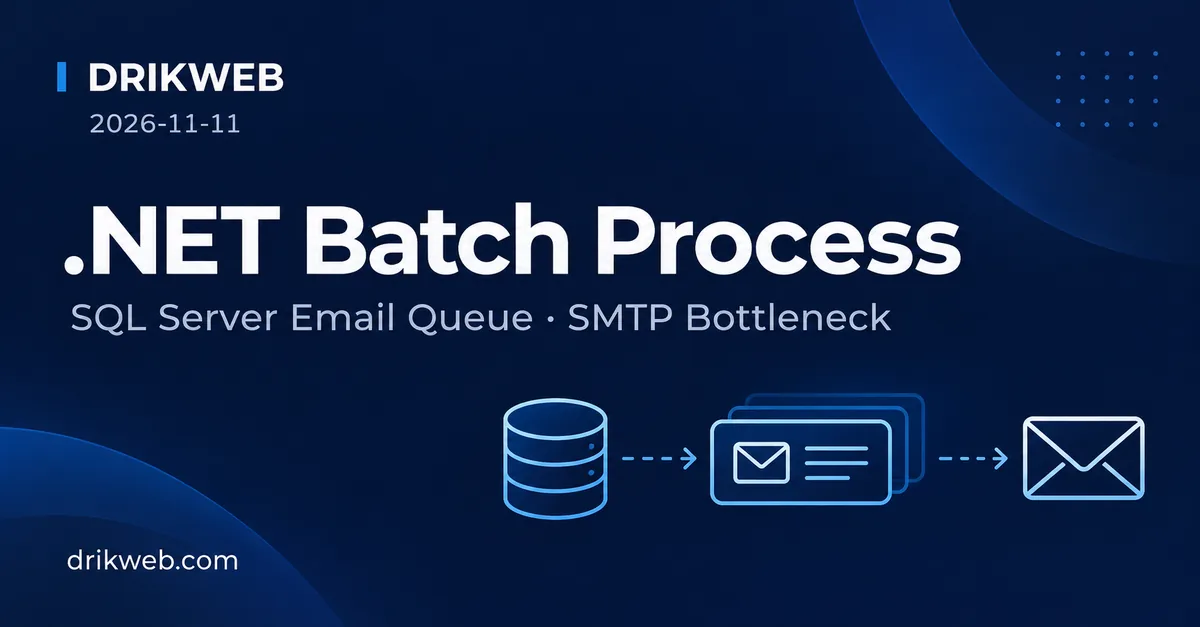
BackgroundService, with retries and outcome tracking. Delivery is at-least-once: in edge cases a duplicate can occur.A batch job can be slow even when the database and external services show no single obvious problem. In a real engagement on an enterprise .NET 8 application, processing hundreds of items was weighed down by an extra responsibility: sending an email inside the main loop and waiting for every SMTP reply. The context and value of the engagement are described in the real-world case study on optimizing a .NET batch job (in Italian); here I go into the technical details.
The problem: hundreds of SMTP waits inside the same batch
The job processed roughly 200–300 items per run, sometimes close to a thousand. For each item it performed application logic, database queries, calls to external services and a summary email notifying the outcome. The send call was awaited before moving on to the next item in the list.
Total duration therefore did not depend only on business work: it also included connecting, authenticating and transmitting the message to the SMTP service. Repeating that hundreds of times amplified the latency.
On top of that, a temporary failure of the mail service interfered with the application flow and made it hard to reconstruct which messages had actually been sent.
The analysis: shorten the critical path
Before considering a rewrite, and after checking where the time was really being spent, I separated two requirements that the existing code treated as a single operation:
- Reliably record that a notification must be sent.
- Physically deliver that notification through SMTP.
The first requirement belongs to the main processing; the second can happen later, as long as requests are persistent, observable and retryable.
This is the real architectural change: the main operation must wait for the send request to be saved, not for the communication with the SMTP server to complete.
The solution: an email queue on SQL Server (a simplified outbox pattern)
I designed and built a persistent queue on SQL Server and a .NET BackgroundService responsible for delivery. The design is a simplified variant of the transactional outbox pattern: the send request is written to a table, ideally in the same transaction as the business change, and a separate process takes care of delivery. Application code composes the message, stores a row in the queue and moves on.
- Enqueue: an application service validates recipients, subject, body and priority, and records the request in SQL Server.
- Claim: the worker periodically reads a limited batch of ready emails, assigning them a processing token with an atomic operation.
- Send: the SMTP component attempts delivery and reuses the connection when the context allows.
- Track: for every email, status, attempts, timestamps and the last error are updated.
- Recover: failures are handled with configurable retries; items that were claimed but never attempted are released if processing is interrupted.
Persistence lets the work resume after a restart and, when enqueueing takes part in the same transaction as the application change, commits or rolls back the business operation and the email request together.
Implementation: schema, enqueueing and worker
The examples below are simplified and for illustration only: table, column and interface names are indicative and do not reproduce the client's code. The pattern is the same on .NET 8, 9 and 10: BackgroundService and PeriodicTimer have been available since version 6.
1. The queue table
CREATE TABLE dbo.EmailQueue
(
    Id               bigint IDENTITY(1,1) NOT NULL PRIMARY KEY,
    ToAddress        nvarchar(320)    NOT NULL,
    Subject          nvarchar(255)    NOT NULL,
    BodyHtml         nvarchar(max)    NOT NULL,
    Priority         tinyint          NOT NULL DEFAULT 5,  -- 1 = most urgent
    Status           tinyint          NOT NULL DEFAULT 0,  -- 0 pending, 1 processing, 2 sent, 3 permanently failed
    Attempts         int              NOT NULL DEFAULT 0,
    NextAttemptAtUtc datetime2(0)     NOT NULL DEFAULT SYSUTCDATETIME(),
    LockToken        uniqueidentifier NULL,
    LockedUntilUtc   datetime2(0)     NULL,
    LastError        nvarchar(1000)   NULL,
    CreatedAtUtc     datetime2(0)     NOT NULL DEFAULT SYSUTCDATETIME(),
    SentAtUtc        datetime2(0)     NULL
);

CREATE INDEX IX_EmailQueue_Ready
    ON dbo.EmailQueue (Status, NextAttemptAtUtc, Priority);
An index on status and next-attempt time avoids scanning the whole table on every worker cycle. Over time the table needs a retention policy (for example, deleting emails sent more than N days ago).
2. Enqueueing from the batch
foreach (var item in items)
{
    var result = await ProcessAsync(item, ct);                           // business logic

    // cost: a single INSERT, no waiting for the SMTP server
    await _emailQueue.EnqueueAsync(BuildNotification(item, result), ct);
}
The batch loop pays only for the INSERT. If enqueueing uses the same connection and transaction as the business change, the two writes commit or roll back together: that is the heart of the outbox pattern.
3. Claiming emails without duplicates
-- @BatchSize, @LockToken and @LeaseMinutes are supplied by the worker
;WITH next AS
(
    SELECT TOP (@BatchSize) *
    FROM dbo.EmailQueue WITH (UPDLOCK, READPAST, ROWLOCK)
    WHERE (Status = 0 AND NextAttemptAtUtc <= SYSUTCDATETIME())
       OR (Status = 1 AND LockedUntilUtc  <  SYSUTCDATETIME())   -- lease expired: processing was interrupted
    ORDER BY Priority, Id
)
UPDATE next
SET Status         = 1,
    LockToken      = @LockToken,
    LockedUntilUtc = DATEADD(MINUTE, @LeaseMinutes, SYSUTCDATETIME()),
    Attempts       = Attempts + 1
OUTPUT inserted.Id, inserted.ToAddress, inserted.Subject, inserted.BodyHtml, inserted.Attempts;
UPDLOCK and READPAST make a second worker skip rows that are already taken instead of waiting for them. A claimed row receives a LockToken and a temporary lease: if the process dies, the row becomes available again when the lease expires. If a batch can run longer than the lease, renew the lease before each attempt.
4. Recording the outcome
-- success
UPDATE dbo.EmailQueue
SET Status = 2, SentAtUtc = SYSUTCDATETIME(),
    LockToken = NULL, LockedUntilUtc = NULL, LastError = NULL
WHERE Id = @Id AND LockToken = @LockToken;

-- failure: retry with backoff, or permanent error
UPDATE dbo.EmailQueue
SET Status           = CASE WHEN Attempts >= @MaxAttempts THEN 3 ELSE 0 END,
    NextAttemptAtUtc = DATEADD(SECOND, POWER(2, Attempts - 1) * 30, SYSUTCDATETIME()),
    LastError        = LEFT(@Error, 1000),
    LockToken = NULL, LockedUntilUtc = NULL
WHERE Id = @Id AND LockToken = @LockToken;
Every outcome is written right after the attempt, and only if the LockToken is still the worker's own: a process that has lost its lease cannot overwrite another worker's result. Exponential backoff avoids hammering an SMTP server that is temporarily failing, and after the maximum number of attempts the email moves to a permanent error state.
5. The BackgroundService
public sealed class EmailQueueWorker : BackgroundService
{
    private readonly IServiceScopeFactory _scopeFactory;
    private readonly ILogger<EmailQueueWorker> _logger;

    public EmailQueueWorker(IServiceScopeFactory scopeFactory, ILogger<EmailQueueWorker> logger)
        => (_scopeFactory, _logger) = (scopeFactory, logger);

    protected override async Task ExecuteAsync(CancellationToken stoppingToken)
    {
        using var timer = new PeriodicTimer(TimeSpan.FromSeconds(10));

        do
        {
            try
            {
                using var scope = _scopeFactory.CreateScope();
                var store  = scope.ServiceProvider.GetRequiredService<IEmailQueueStore>();
                var sender = scope.ServiceProvider.GetRequiredService<IEmailSender>();

                var lockToken = Guid.NewGuid();
                var batch = await store.ClaimAsync(batchSize: 20, lockToken, stoppingToken);

                foreach (var email in batch)
                {
                    try
                    {
                        await sender.SendAsync(email, stoppingToken);
                        await store.MarkSentAsync(email.Id, lockToken, stoppingToken);
                    }
                    catch (Exception ex) when (ex is not OperationCanceledException)
                    {
                        await store.MarkFailedAsync(email.Id, lockToken, ex.Message, stoppingToken);
                    }
                }
            }
            catch (Exception ex) when (ex is not OperationCanceledException)
            {
                _logger.LogError(ex, "Error in the email worker cycle");
            }
        }
        while (await timer.WaitForNextTickAsync(stoppingToken));
    }
}

// Program.cs
builder.Services.AddHostedService<EmailQueueWorker>();
The worker creates a scope for each cycle (scoped services must not be injected directly into a singleton), claims a limited batch, and tells send failures apart from application shutdown.
Why making the SMTP call async is not enough
await SendAsync(...) avoids blocking a thread while waiting for I/O, but it does not remove the wait from the batch's completion time if the caller still waits for the result. Fire-and-forget sends without persistence would add their own risks: restarts, unhandled errors and lost requests.
Here the asynchrony sits between two business phases: durable recording of the request and deferred delivery. It is a choice about boundaries and responsibilities, not a syntactic C# optimization.
How much time could be recovered?
A sequential SMTP send that opens a new connection on every cycle, with TLS and authentication, can take 1 to 2 seconds. If that cost were paid for every item, 200 emails would add between 3 min 20 s and 6 min 40 s, and 300 emails between 5 and 10 minutes. This is not a universal average: real timings depend on network, server, authentication and connection reuse.
| Emails | Scenario 1 s/email | Scenario 2 s/email |
|---|---|---|
| 200 | 3 min 20 s | 6 min 40 s |
| 300 | 5 min | 10 min |
| 1000 | 16 min 40 s | 33 min 20 s |
Theoretical estimate (number of emails × seconds per send), not a measurement on the client's system.
With the queue, the main path pays only for saving the requests, a much lower cost than an SMTP send. The potential benefit is the difference between the SMTP wait that used to fall on the batch and the extra time of the INSERTs, plus any other work needed for enqueueing. The slow operation does not disappear: it moves to a separate process responsible only for sending emails.
Reliability and concurrency are not minor details
A table with a "to send" flag is not enough. The worker must prevent two instances from claiming the same email at the same moment. That is why claiming is atomic and uses a LockToken and temporary leases, renewed before each attempt.
The solution records every outcome immediately after the attempt, distinguishes a failed send from a request that was never attempted, and releases still-idle rows when a batch is interrupted. It also supports priorities and a limited number of attempts.
One fundamental limit remains: SMTP and the database update do not share a single distributed transaction. If the SMTP server accepts the message and the process dies before the outcome is recorded, a duplicate send can occur. The semantics are at-least-once, not exactly-once. The window is narrow but not zero: it shrinks with adequate leases and outcomes recorded immediately, and where a duplicate is a problem it helps to put a unique reference to the operation in the message so it can be recognized.
SQL Server queue, Hangfire or message broker: when to choose what
| Option | Strengths | Limits |
|---|---|---|
In-memory queue (Channel<T>) | Very simple, no infrastructure | Not persistent: a restart loses pending requests |
| SQL Server queue (outbox) | Persistent, in the same transaction as business data, no new infrastructure | Polling, limited throughput, leases and retries to manage |
| Hangfire | Retries, dashboard and persistence out of the box | An extra dependency, with its own schema in your database |
| Message broker (RabbitMQ, Azure Service Bus) | High throughput, routing, multiple independent consumers | Infrastructure and operational skills; without an outbox the database/broker dual-write problem remains |
For volumes in the order of hundreds or thousands of messages per run and a database you already have, a SQL Server queue is often enough. When volumes grow a lot or you need several independent consumers, a broker is the better fit, and in that case the outbox remains the right way to publish messages consistently with the database.
Worker inside the Web API: simple today, dedicated process tomorrow
For the initial engagement I chose, for infrastructure reasons, to host the worker inside the existing Web API: less infrastructure to deploy and manage, no external broker and no mandatory new hosting service. It is a pragmatic compromise when you want to introduce a contained feature without transforming the whole architecture.
That choice is not necessarily final. A worker hosted in the Web API depends on the web process lifecycle: on IIS you must consider shutdowns, recycling and application pool idle timeouts. In more demanding environments it may be better to run it as a dedicated Worker Service, a Windows service or a standalone container; a separate microservice is an option when you also need independent deployment, ownership or scaling, not an automatic requirement.
The key point is that the solution is already prepared for this evolution: enqueueing, data access, SMTP sending and worker orchestration have distinct responsibilities and communicate through the persistent queue. Moving the executor to a dedicated process does not require redesigning the logic that produces the emails, although it does require checks on configuration, deployment, monitoring and concurrency. If the application is still on .NET Framework, hosting the worker calls for different solutions, which is part of gradual modernization.
Benefits beyond speed
- Operational continuity: a temporary SMTP problem does not have to block the processing that generates the notification.
- Traceability: you can see which emails are pending, sent, to be retried or permanently failed.
- Reuse: other modules can adopt the queue without duplicating sending code.
- Maintainability: the SMTP transport is isolated from application logic.
The queue also brings new operational responsibilities: monitoring backlogs, retention policies, secure handling of data in the HTML body, and checking throughput capacity. Deferred delivery should be applied to messages for which it is acceptable not to get the SMTP result immediately.
Frequently asked questions
Can a SQL Server queue handle enough load?
For volumes in the order of hundreds or thousands of messages per run, with a database already in place, usually yes: polling with batched claiming is simple and predictable. If volumes grow a lot or you need routing and multiple independent consumers, a message broker is a better fit.
How do you stop two workers from sending the same email?
With an atomic claim (UPDATE ... OUTPUT with UPDLOCK and READPAST) that assigns rows to a processing token and a temporary lease: a second worker skips rows that are already taken.
Can you guarantee an email is sent exactly once?
No. SMTP and the database do not share a transaction, so the realistic model is at-least-once: if the process dies after the message is accepted and before the outcome is recorded, the email may be retried. The risk can be reduced, not eliminated.
Is a BackgroundService inside the Web API enough?
To start, yes, as long as you account for the host lifecycle (on IIS: idle timeouts, recycling and shutdowns). When you need monitoring, independent scaling or separate deployment, a dedicated Worker Service is a better choice.
Conclusion: optimizing can mean removing waits, not adding technology
The value of the engagement is not a rewrite of the batch job, but spotting an operation that never needed to sit on its critical path. A SQL Server queue and a background worker introduce this decoupling gradually, leaving room to evolve into a dedicated service when requirements justify it.
In short
A faster batch job can come from removing a wait, not from a rewrite.
By separating persistent enqueueing from SMTP delivery, the main process no longer waits for each notification to be sent. The solution stays simple to adopt and ready to move into a dedicated worker.
Real-world case
From the technical solution to the real case
This architecture comes from a concrete optimization engagement on a .NET business application. See how a persistent email queue on SQL Server removed SMTP waits from the main batch process without rewriting the existing software.
Read the real-world case: optimizing a .NET batch job with a SQL Server email queue (in Italian)
More technical guides
Is a .NET process taking too long?
As a senior freelance .NET developer I can support software houses and development teams with bottleneck analysis, batch and API optimization, and the gradual evolution of existing enterprise applications.